 Contact Support
 Sign In


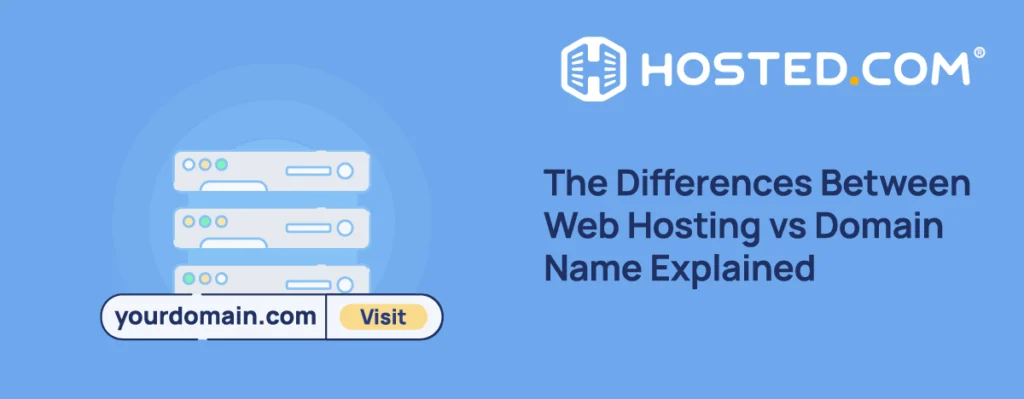
If you’re building a website for the first time, the terms “domain name” and “Web Hosting” are often mentioned together. An easy way to understand the difference between web hosting vs domain name is to consider a website like a house. A domain name is the address people use to find it, and web hosting is the building where everything is stored. If you only have an address, there’s nothing there for someone who arrives. If you only have a house but no address, no one knows where to go. In short, you need both to launch a website. Once you understand how they work together, setting up a site becomes much easier.
KEY TAKEAWAYS
- A domain name is your website’s address that allows visitors to find and access it.
- Web hosting stores your site’s files and ensures it is accessible, secure, and performs well.
- Domain names direct visitors to a website, while web hosting delivers the content.
- A working website always requires both a domain name and hosting.
- Different hosting types suit different requirements, but user-friendly options like cPanel hosting make management easier.
- Getting started involves choosing and registering a domain, selecting web hosting, and connecting them.
- Most common errors originate from incorrect setups or improper planning.
- Keeping your domain and hosting together simplifies setup and management while saving time.
TABLE OF CONTENTS
What is a Domain Name?
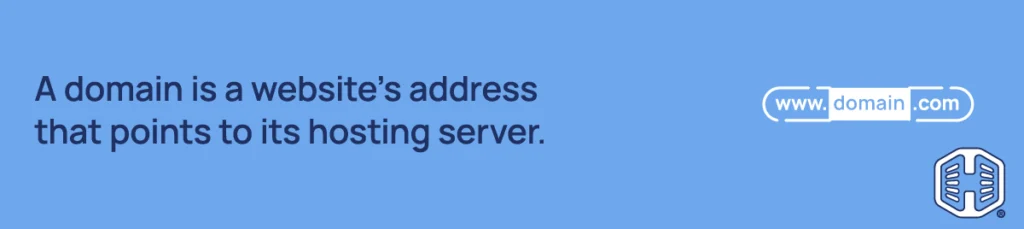
A domain name is the address people type into their browser to visit your website, for example, yourbusiness.com. It is made up of the Second-Level Domain, yourbusiness, and the extension or TopLevel Domain (TLD) .com.
Behind every domain name is a numerical IP address that computers use to identify and talk to servers. Since these numbers are long and hard to remember, domains are used instead.
Registering the right domain name matters because it affects how easily people can find, remember, and share your site. It’s also worth noting that buying a domain doesn’t mean you own it forever. Domains are registered for a set period, usually one year, and must be renewed.
What is Web Hosting?
Web hosting is the service that stores your site and makes it accessible online.
It includes:
- Text and page content.
- Images and videos.
- Code (HTML, CSS, JavaScript).
- Databases (for WordPress).
You rent space on a server that is run and maintained by a hosting provider, which keeps it connected to the internet so visitors can access your website at any time. When someone types your domain into their browser, the browser connects to the hosting server and loads your site.
Hosting does more than store and deliver files.
It also affects:
- Speed: Optimized servers improve load times.
- Uptime: Good hosting keeps your site online and available.
- Security: Protection against attacks and data theft.
- Scalability: Ability to handle more traffic over time.
The wrong hosting can lead to slow page load times, downtime, and a poor user experience.
Web Hosting vs Domain Name: Key Differences
Understanding the difference between domain and hosting is easier when you compare them side by side:
| Feature | Domain Name | Web Hosting |
| Purpose | Address | Storage and content delivery |
| Example | yoursite.com | Server, disk space, processing |
| Required? | Yes | Yes |
You can consider it like this:
- A domain tells browsers where to go.
- Hosting delivers the content to them.
You can register a domain and not use it. You can also have a hosting account without connecting a domain, but both need to be active and linked for the site to operate.
How Domain Names & Hosting Work Together
To see how domain names and hosting work together, here’s what happens step by step when someone visits your site:
- The person types your domain name into a browser’s address bar.
- The browser sends a request to the Domain Name System (DNS).
- DNS finds the IP address linked to your domain.
- The browser connects to the hosting server using the IP address.
- An SSL (Secure Sockets Layer) certificate encrypts the connection.
- A request is sent to the server for your website’s files.
- The server processes the request and sends the files back.
- Your website is rendered in the browser and displayed.
NOTE:
The DNS acts like a directory that translates your domain name into an IP address, which points browsers to your hosting server.
The process happens almost instantly, but it depends on the two main elements (hosting and domain) working together correctly.
This is why connecting your domain to your hosting correctly is an essential step when launching a website. If your domain isn’t properly linked to your hosting server, your site won’t load (with or without an error message), even if everything else is set up.
Do You Need Both Hosting & a Domain?
To answer the question, “do I need hosting and domain?” The answer is “yes”. You need web hosting and a domain for a live website that people can access, and they must be connected properly. A domain name alone is not enough. It only points to a location, but without hosting, there’s nothing there to display.
With hosting on its own, your site could be stored on a server, but people wouldn’t have an easy way to access it. Without a domain, they would need to use an IP address, which is not practical.
Can You Buy Hosting & a Domain Together?
Yes, you can buy hosting and a domain together. This is the easiest way to get started.
With Hosted.com®, you can register a domain and sign up for a Web Hosting or WordPress Hosting plan at the same time, making the entire process much simpler. You won’t have to connect them while manually juggling multiple providers.
This means:
- Faster setup with fewer technical steps.
- Automatic connection between the domain and the hosting.
- One control panel to manage both.
- Easier troubleshooting and support if something should go wrong
Managing both services separately can work, but it often means manual configuration and troubleshooting. If you buy them separately, you will need to manually update the DNS settings and ensure the server connections are configured correctly. This adds unnecessary complexity to what should be a simple process, especially for beginners.

Types of Web Hosting Explained
Choosing the right hosting type depends on your needs, budget, and experience.
Shared hosting means your website shares resources (CPU, RAM, disk storage) with others on the same server. Because several websites use the same server, this type of hosting is usually one of the more basic and lower-cost options and can be a good starting point for small sites and blogs. The hosting provider manages the server itself, which is the most affordable option.
Managed hosting is when the provider handles more of the technical tasks for you. This can include software updates, security monitoring, backups, and performance optimization.
The main difference is that shared hosting describes how server resources are allocated, while managed hosting explains the level of support and maintenance included with the service.
WordPress Hosting
WordPress Hosting is designed specifically to make running a WordPress site easier, with an environment built to support that platform from the start. This includes pre-configured server settings for faster performance and better security.
It often includes one-click installs, automatic core software updates, and tools specifically for WordPress website management.
cPanel Hosting
cPanel hosting is web hosting that includes cPanel, a control panel which manages hosting accounts via a graphical, web-based interface.
Instead of handling website management through more technical methods, cPanel provides a dashboard that lets you manage files, domains, databases, Email Hosting, software installations, and other hosting settings.
It is widely used because it simplifies many of the more complicated site management tasks while still giving you control. For small businesses and startups, cPanel offers the best balance between ease of use and flexibility.
How to Get Started
Now that you know the difference between web hosting vs domain name, getting your website online doesn’t have to be complicated. Here’s a simple step-by-step process.
Step 1: Choose a Domain Name
Select a name that reflects your brand and business, along with a TLD that fits your audience or the region you are targeting.
Try to keep it as short and simple as possible. This makes it easy to remember. Avoid using long, complex words, as they can lead to misspellings and lost traffic.
Step 2: Register Your Domain
Once you’ve chosen a name, you need to register it through a provider. Use the Hosted.com® WHOIS Lookup tool to check availability. The registration period is usually one year (with the option to extend up to 10 years). After that, you need to pay a renewal fee to keep ownership.
Step 3: Choose Hosting
Now that you’ve got a domain ready to go, you need to choose a hosting type (e.g., cPanel, WordPress, etc.) and a plan to link it to.
When making your decision, consider:
- Website type and size.
- Expected traffic and resource needs.
- Technical experience and feature requirements.
If you’re unsure, start with a smaller plan and upgrade later as required.
Step 4: Connect Domain to Hosting
This final step links your domain name to your web hosting. It involves updating DNS settings so that the domain points to the correct server. Your provider will normally take care of this for you as you are getting both at the same time.
From there, you are ready to build. Choose a Website Builder or install WordPress, upload your files, content, and any additional plugins and tools, then test to ensure it works and loads correctly. Once this is done, hit “Publish”, and your new site will be accessible online.
Common Mistakes to Avoid
Beginners often make the same common errors when setting up their first website. Thankfully, once you know what they are, they are easy to avoid.
Common errors include:
- Only Buying a Domain: A domain without hosting is just a URL, with no website to load. Ensure you have both before expecting your site to go live.
- Choosing the Wrong Hosting: A plan that’s too limited or the wrong type for your site can cause slow loading times or downtime. It’s better to choose one that can handle increased traffic and grow with you.
- Ignoring Renewals: Domains require annual renewal. If they expire, you could lose your domain, and your website will go offline. Setting up automatic renewals and payments stops this from happening
- Overcomplicating Things: Using multiple providers for different services or advanced configurations can make things more difficult than necessary. Simpler setups are easier to manage.
Get Your Domain & Hosting in One Place
If you want a simple way to get started, using a provider like Hosted.com® for both domain registration and hosting can reduce the number of steps.
You can register your domain, set up web hosting, manage your site, and create email accounts all in one intuitive Client Portal.
Hosted.com® offers hosting and domain services designed to make it easier to get your site online. It also keeps everything in one place. This reduces the risk of setup errors and saves you time and money with free domain name registration*.
Instead of managing multiple accounts and configurations, you can handle everything from a single platform and get your website online faster with built-in performance optimization and essential security features, backed by expert support.
*T’s & C’s apply.
Free Domain Registration applies to the following domain name extensions: .com and .online, and is only applicable at the time of purchase.
![Strip Banner Text - Get both with Hosted.com® Domain Registration and Web Hosting. [Learn How]](/blog/wp-content/uploads/2026/06/web-hosting-vs-domain-name-04-1024x229.webp "Get both with Hosted.com® Domain Registration and Web Hosting. [Learn How]")
How to Register a Domain Name for Your Website
VIDEO: How to Register a Domain Name for Your Website
FAQS
Is it possible to have a domain name without web hosting?
Web hosting is essential for attaching a website to a domain name. Both can be bought together.
Do I need web hosting if I have a domain name?
Yes, you need web hosting if you have a domain name. A domain name is only the address of a website. Without web hosting, your website has no location on the internet.
Do I need a domain name if I have web hosting?
Yes, you need a domain name if you have web hosting. Even if you have a website’s files stored on a server, you will need a domain name so users can find and access your site.
Can I buy web hosting and a domain name together?
Yes, you can buy both together. Having both with one provider can make managing your web hosting and domain much more convenient.
Can I get a domain name without web hosting?
You can get a domain name without web hosting. However, you won’t be able to have a live website until it’s hosted on a server.
Do I need a domain name to build a website?
You can, in theory, build a website without a domain name, but people will have a tough time finding your site using only its IP address.
Other Blogs of Interest
– Changing Domain Name and SEO – 7 Steps To Keep Your Rankings
– Should You Trademark A Domain Name
– Domain Name Cost – What Affects Pricing And How To Save
– Web Hosting Bandwidth – How It Affects Site Performance
– Web Hosting Trends – What We Can Expect In 2026
- About the Author
- Latest Posts

Rhett isn’t just a writer at Hosted.com – he’s our resident WordPress content guru. With over 7 years of experience as a content writer, with a background in copywriting, journalism, research, and SEO, and a passion for websites.
Rhett authors informative blogs, articles, and Knowledgebase guides that simplify the complexities of WordPress, website builders, domains, and cPanel hosting. Rhett’s clear explanations and practical tips provide valuable resources for anyone wanting to own and build a website. Just don’t ask him about coding before he’s had coffee.