Bulk Domain Transfer
Transfer Multiple Domains to Us at Once
Move multiple domains to Hosted.com® and manage renewals, DNS, redirects, security tools, and support from one easy to use dashboard.
Enter the domains you want to transfer, add the required authorization codes, and we will help you through the domain transfer process from start to finish.

Bulk Domain Transfer
Check the availability of your desired
domain names using one of these popular TLDs
|
TLD
|
Register. | Renew. | Transfer. | Redemption. | Min Years Y. | Add to Cart |
|---|---|---|---|---|---|---|
|
.com
|
$9.99 | $14.99 | $8.49 | $52.00 | 1 |

|
|
.online
|
$1.99 | $20.00 | $10.99 | $78.00 | 1 |
|
|
.biz
|
$15.99 | $18.99 | $15.99 | $52.00 | 1 |
|
|
.business
|
$14.99 | $16.99 | $15.99 | $52.00 | 1 |
|
|
.email
|
$9.99 | $24.99 | $9.99 | $52.00 | 1 |
|
|
TLD
|
Register. | Renew. | Transfer. | Redemption. | Min Years Y. | Add to Cart |
|---|---|---|---|---|---|---|
|
.date
|
$7.99 | $32.99 | $7.99 | $52.00 | 1 |
|
|
.domains
|
$24.99 | $37.99 | $24.99 | $52.00 | 1 |
|
|
TLD
|
Register. | Renew. | Transfer. | Redemption. | Min Years Y. | Add to Cart |
|---|---|---|---|---|---|---|
|
.com
|
$9.99 | $14.99 | $8.49 | $52.00 | 1 |
|
|
.online
|
$1.99 | $20.00 | $10.99 | $78.00 | 1 |
|
|
.business
|
$14.99 | $16.99 | $15.99 | $52.00 | 1 |
|
|
TLD
|
Register. | Renew. | Transfer. | Redemption. | Min Years Y. | Add to Cart |
|---|---|---|---|---|---|---|
|
.com
|
$9.99 | $14.99 | $8.49 | $52.00 | 1 |
|
|
.net
|
$10.99 | $18.99 | $12.39 | $52.00 | 1 |
|
|
.online
|
$1.99 | $20.00 | $10.99 | $78.00 | 1 |
|
|
.org
|
$6.99 | $13.99 | $11.69 | $52.00 | 1 |
|
|
.store
|
$3.99 | $30.00 | $30.00 | $130.00 | 1 |
|
|
.site
|
$0.99 | $20.00 | $10.80 | $78.00 | 1 |
|
|
.tech
|
$3.99 | $30.00 | $30.00 | $78.00 | 1 |
|
|
.accountant
|
$24.99 | $32.49 | $24.99 | $52.00 | 1 |
|
|
.africa
|
$5.39 | $6.99 | $5.39 | $21.00 | 1 |
|
|
.bar
|
$64.99 | $75.99 | $64.99 | $91.00 | 1 |
|
|
.bid
|
$5.99 | $34.99 | $5.99 | $52.00 | 1 |
|
|
.biz
|
$15.99 | $18.99 | $15.99 | $52.00 | 1 |
|
|
.blog
|
$31.59 | $35.99 | $31.59 | $104.00 | 1 |
|
|
.builders
|
$15.99 | $37.99 | $15.99 | $52.00 | 1 |
|
|
.business
|
$14.99 | $16.99 | $15.99 | $52.00 | 1 |
|
|
.cash
|
$35.49 | $37.99 | $35.49 | $52.00 | 1 |
|
|
.co
|
$23.69 | $27.99 | $23.69 | $52.00 | 1 |
|
|
.bz
|
$28.99 | $28.99 | $28.99 | $104.00 | 1 |
|
|
.coffee
|
$15.99 | $36.99 | $15.99 | $52.00 | 1 |
|
|
.click
|
$10.69 | $12.99 | $10.69 | $0.00 | 1 |
|
|
.community
|
$24.99 | $36.99 | $24.99 | $52.00 | 1 |
|
|
.computer
|
$24.99 | $36.99 | $24.99 | $52.00 | 1 |
|
|
.cricket
|
$24.99 | $39.99 | $24.99 | $52.00 | 1 |
|
|
.date
|
$7.99 | $32.99 | $7.99 | $52.00 | 1 |
|
|
.deals
|
$12.99 | $31.99 | $12.99 | $52.00 | 1 |
|
|
.design
|
$36.99 | $39.99 | $36.99 | $52.00 | 1 |
|
|
.directory
|
$9.99 | $25.99 | $9.99 | $52.00 | 1 |
|
|
.domains
|
$24.99 | $37.99 | $24.99 | $52.00 | 1 |
|
|
.estate
|
$10.69 | $35.99 | $10.69 | $52.00 | 1 |
|
|
.email
|
$9.99 | $24.99 | $9.99 | $52.00 | 1 |
|
|
.events
|
$15.69 | $35.99 | $15.69 | $52.00 | 1 |
|
|
.faith
|
$11.99 | $29.99 | $11.99 | $52.00 | 1 |
|
|
.fans
|
$9.69 | $15.99 | $9.69 | $65.00 | 1 |
|
|
.fitness
|
$12.19 | $31.99 | $12.19 | $52.00 | 1 |
|
|
.fm
|
$77.99 | $85.99 | $77.99 | $45.00 | 1 |
|
|
.fyi
|
$15.19 | $21.99 | $15.19 | $52.00 | 1 |
|
|
.gifts
|
$14.99 | $35.99 | $14.99 | $0.00 | 1 |
|
|
.guru
|
$4.99 | $35.99 | $4.99 | $52.00 | 1 |
|
|
.help
|
$23.69 | $34.99 | $23.69 | $39.00 | 1 |
|
|
.host
|
$66.69 | $84.99 | $66.69 | $104.00 | 1 |
|
|
.info
|
$17.69 | $21.99 | $17.69 | $52.00 | 1 |
|
|
.ink
|
$20.69 | $25.99 | $20.69 | $52.00 | 1 |
|
|
.io
|
$47.69 | $49.99 | $47.69 | $52.00 | 1 |
|
|
.live
|
$4.69 | $28.99 | $4.69 | $52.00 | 1 |
|
|
.loan
|
$5.99 | $32.99 | $5.99 | $52.00 | 1 |
|
|
.love
|
$21.69 | $31.99 | $21.69 | $0.00 | 1 |
|
|
.marketing
|
$8.69 | $35.99 | $8.69 | $52.00 | 1 |
|
|
.media
|
$9.69 | $35.99 | $9.69 | $52.00 | 1 |
|
|
.mobi
|
$21.69 | $29.99 | $21.69 | $52.00 | 1 |
|
|
.name
|
$17.59 | $19.99 | $17.59 | $325.00 | 1 |
|
|
.network
|
$6.69 | $22.99 | $6.69 | $52.00 | 1 |
|
|
.organic
|
$20.69 | $55.99 | $20.69 | $52.00 | 1 |
|
|
.property
|
$105.99 | $159.99 | $105.99 | $39.00 | 1 |
|
|
.pw
|
$16.69 | $29.99 | $16.69 | $0.00 | 1 |
|
|
.party
|
$5.69 | $24.99 | $5.69 | $52.00 | 1 |
|
|
.rent
|
$49.99 | $69.99 | $49.99 | $65.00 | 1 |
|
|
.rest
|
$26.69 | $34.99 | $26.69 | $91.00 | 1 |
|
|
.rocks
|
$10.69 | $16.99 | $10.69 | $52.00 | 1 |
|
|
.sale
|
$10.69 | $28.99 | $10.69 | $52.00 | 1 |
|
|
.shopping
|
$15.69 | $37.99 | $15.69 | $52.00 | 1 |
|
|
.space
|
$16.69 | $29.99 | $16.69 | $52.00 | 1 |
|
|
.services
|
$8.69 | $37.99 | $8.69 | $52.00 | 1 |
|
|
.school
|
$10.69 | $28.99 | $10.69 | $52.00 | 1 |
|
|
.science
|
$12.99 | $29.99 | $12.99 | $52.00 | 1 |
|
|
.stream
|
$5.99 | $25.99 | $5.99 | $52.00 | 1 |
|
|
.support
|
$8.69 | $21.99 | $8.69 | $52.00 | 1 |
|
|
.tours
|
$10.69 | $59.99 | $10.69 | $52.00 | 1 |
|
|
.trade
|
$5.69 | $34.99 | $5.69 | $52.00 | 1 |
|
|
.us
|
$12.19 | $14.99 | $12.19 | $104.00 | 1 |
|
|
.us.com
|
$16.69 | $29.99 | $16.69 | $0.00 | 1 |
|
|
.webcam
|
$11.99 | $31.99 | $11.99 | $52.00 | 1 |
|
|
.website
|
$16.69 | $24.99 | $16.69 | $52.00 | 1 |
|
|
.co.za
|
$6.99 | $9.99 | $6.99 | $12.00 | 1 |
|
|
.net.za
|
$6.99 | $9.99 | $6.99 | $12.00 | 1 |
|
|
.org.za
|
$6.99 | $9.99 | $6.99 | $12.00 | 1 |
|
|
.web.za
|
$6.99 | $9.99 | $6.99 | $12.00 | 1 |
|
|
.wiki
|
$20.69 | $29.99 | $20.69 | $52.00 | 1 |
|
|
.win
|
$5.99 | $29.99 | $5.99 | $52.00 | 1 |
|
|
.wine
|
$10.69 | $39.99 | $10.69 | $52.00 | 1 |
|
|
.wtf
|
$8.69 | $33.90 | $8.69 | $52.00 | 1 |
|
|
.xxx
|
$109.99 | $109.99 | $109.99 | $104.00 | 1 |
|
|
.xyz
|
$0.99 | $14.99 | $11.69 | $65.00 | 1 |
|
|
.zone
|
$10.69 | $32.99 | $10.69 | $52.00 | 1 |
|
What Is Bulk Domain Transfer?
Bulk Domain Transfer is the process of moving several existing domain names from one registrar or provider to another. Instead of transferring each one separately, you can submit multiple domains at once.
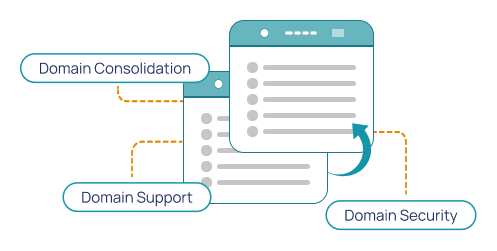
When your domains are spread across different accounts, providers, websites, or clients, it can be difficult to keep track of them all. Doing a bulk transfer lets you consolidate domain management, renewals, DNS settings, redirects, and security from one account control panel.
How Bulk Domain Transfer Works
Transferring domains in bulk follows the same basic process as a single domain transfer, but with slightly more preparation. Each one needs to be checked, unlocked, and submitted with the correct transfer details.
Most domain transfers take around 5-7 working days, although timing can vary depending on the domain extension, the current provider, and whether the correct authorization codes were supplied.
IMPORTANT TO NOTE:
A domain cannot be transferred if it was registered or transferred within the last 60 days.

Who Should Use Bulk Domain Transfer?
A Bulk Domain Transfer is for anyone managing multiple domains across brands, clients, and websites who would like a more organized way to manage them with a single provider that has an efficient, easy domain management control panel.

Agencies Managing Client Domains
Agencies often manage domains for multiple clients, campaigns, or websites. Moving client domains into one Hosted.com® account with its user-friendly, domain management dashboard, can make it easier to track renewals, update DNS records, and keep domain settings organized.
Marketing Teams
Marketing teams often work with landing page domains, event domains, campaign URLs, and redirect domains. Bulk Domain Transfer gives teams a clearer way to organize and manage those domains from one account.
Businesses With Multiple Brands
If your business owns several brands, product lines, regional websites, or campaign domains, Bulk Domain Transfer helps bring everything under one roof. This makes domain renewal management more straightforward and reduces the risk of missing important dates.
Website Owners Consolidating Providers
If your domains are spread across different providers, a Bulk Domain Transfer helps you consolidate them into a single Hosted.com® account for easier management and support.
Domain Investors
Domain investors often manage large portfolios. Using Bulk Domain Transfers simplifies managing these portfolios by consolidating renewals, DNS settings, parking, and redirects in one place.
Ecommerce Businesses
Online stores may use domains for product launches, seasonal campaigns, regional storefronts, or brand protection. Transferring multiple domains to Hosted.com® helps make those domains easier to manage as your business grows.
Will My Websites or Email Go Down During a Bulk Domain Transfer?
A domain transfer usually only changes where your domain is managed. It does not move your websites’ files, hosting, or email unless you choose to move them with it. Your websites and email can usually stay up and running during a Bulk Domain Transfer if DNS records and nameserver settings aren’t unexpectedly changed.
Before transferring multiple domains, check the settings for each one. This is very important if the domains are connected to live websites, email accounts, or client pages. If you’re not sure what to look for, contact Hosted.com®’s Support Team before making changes. We’ll show you what to check and walk you through everything before starting a Bulk Domain Transfer.
Reasons to Move Your Domains to Hosted.com®
A bulk transfer is not just about moving domains. It’s about making them easier to manage. Moving multiple domains to Hosted.com® can simplify domain management of renewals, DNS management, support, and future website planning.

What’s Included when Transferring Domains to Hosted.com®?
When you transfer domains in bulk to Hosted.com®, you get tools that help you manage, protect, redirect, monitor, and organize them from one account with an easy to use client portal.

Domain Parking
Domain Parking keeps your domain reserved and active while your website is being built.
Blacklist Checking
Blacklist Checking helps identify if a domain has been flagged before you connect your website or email to it.
Simple Management
Manage your domain settings, renewals, DNS records, redirects, and related services from your Hosted.com® Control Panel.
Expert Support
Get Expert Support with registrations, domain transfers, DNS setup, forwarding, and related hosting questions.
DNS Hosting
DNS Hosting helps control where your domain points, for example, a website, email, subdomain, or hosting.
URL Redirection
URL Redirection, or Domain Forwarding, makes it easy to redirect visitors from a domain to another website.
1-Click DNSSEC
Domain Name System Security Extensions (DNSSEC) adds an extra layer of protection to your web address.
Uptime Monitoring
Uptime Monitoring helps you keep track of whether your domain and website are online and available to visitors.
Before You Bulk Transfer Domains
A little preparation goes a long way.
Before you submit your bulk transfer request, it’s worth checking that each domain is ready to transfer. Most delays happen when a domain is still locked, missing its authorization code, connected to an inbox you cannot access, or not yet eligible to be moved.
Before you start, check the following domain transfer requirements to ensure everything goes smoothly:
Unlock each domain at your current provider.
Get the EPP code or auth code for every domain you want to transfer.
Check transfer eligibility, especially for recently registered or recently transferred domains.
Confirm domain status to ascertain that none are expired, in redemption, or pending deletion.
Check access to the registrant or admin email address for each domain, as some transfers may need email approval.
Review DNS records and nameservers before making any changes.
Settle any outstanding balances with your current provider.
Check for special transfer rules on specific domain extensions.
Review DNSSEC settings, as some domains may need DNSSEC disabled before transfer.
Single Domain Transfer vs Bulk Domain Transfer
Choosing the right option depends on whether you are moving existing domains, registering new domains, or transferring just one.
What Can You Do After Transferring Multiple Domains?
After your domains have been transferred to Hosted.com®, you have a range of options to choose from.
What is Bulk Domain Transfer?
Bulk Domain Transfer lets users move multiple domain names from one registrar or domain provider to another. It is useful for businesses, agencies, and domain owners who want domain management to consolidate, renewals, DNS, and support in one easy to use dashboard.
What do I need for Bulk Domain Transfer?
To Bulk Transfer domains, you usually need each domain to be unlocked, eligible for transfer, and supplied with its own EPP or authorization code. You should also check DNS records and confirm that you have access to the admin or registrant email address.
Will my websites go down during transfer?
A domain transfer usually changes where domains are managed, not where the domain’s website files or emails are hosted. Websites can often remain online if DNS records and nameservers are not changed unexpectedly.
Helpful Domain and Website Guides
Knowledgebase
Get step-by-step guides on Domain Registration, transfers, DNS, hosting, Email Hosting, and website management.
Blog
Read the latest news and in-depth explanations on domains, Web Hosting, WordPress, security, and online business advice.
Support Desk
Having issues or not sure what to do next? Our expert and friendly Support Team is standing by to assist you with any query.
Frequently Asked Questions
Find clear answers to common questions about Domain Registration, Web Hosting, WordPress Hosting and website security. Our FAQs explain the basics - from choosing a domain to cPanel Web Hosting and protecting your site - in simple, easy-to-follow steps.

Bulk Domain Transfer is the process of moving multiple domain names from one provider or registrar to another. It helps users consolidate domain management, renewals, DNS, and support into one account.
Bulk Domain Transfer is useful for agencies, businesses with multiple brands, domain investors, ecommerce teams, marketing teams, and website owners who manage several domains.
You usually need to unlock each domain, collect the EPP code or auth code for each, confirm each domain is eligible for transfer, and ensure you can access the registrant or admin email address.
An EPP code is a security code used to approve a domain transfer. It may also be called an authorization code, an auth code, a transfer code, or a transfer key. Each domain usually needs its own code.
Most domain transfers take around 5-7 working days. The exact timeline depends on the domain extension, the current provider, the approval process, and whether the correct authorization codes were provided.
A domain transfer does not usually move your website's files or hosting. Your websites can often stay online if DNS records and nameservers are not changed unexpectedly.
Email can often continue working if DNS records and nameservers remain correctly configured. Review email-related DNS records before transferring domains.
In many cases, domains cannot be transferred within the first 60 days after registration or a previous transfer. This depends on the registry’s and/or the registrar’s rules.
It depends on each domain’s status. Some expired domains may need to be renewed or restored before transferring. Check each domain before starting a bulk transfer.
Yes, but each domain must meet transfer requirements and usually needs its own EPP code or auth code from its current provider or registrar.
Yes, many TLDs can be transferred, but rules may vary by extension. Some TLDs may have special requirements or restrictions.
You can check the transfer status in your Hosted.com® account or contact the Hosted.com® Support Team for help.
Yes. If you only need to move one domain, use the Hosted.com® standard Transfer Domains page.
Yes. If you want to search for and buy new domains in bulk, use the Hosted.com® Bulk Domain Registration page.