Whois Lookup
WHOIS Search & Domain Lookup Tool
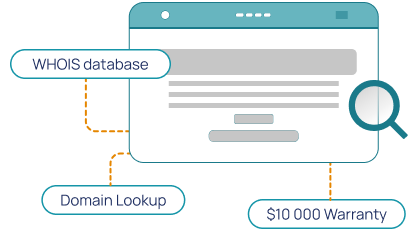
Use Hosted.com®’s WHOIS Lookup Tool to check public domain registration details, including Registrar information, nameservers, domain status, registration date, expiration date, and ownership details wherever available.
Enter a domain name to start your WHOIS Search.

WHOIS Search & Domain Lookup Tool
What is WHOIS?
WHOIS is a public lookup database that stores essential information required for registered domain names. Running a WHOIS query reveals details about a domain such as the Registrar, its registration and expiry dates, active nameservers, and current status.
Direct ownership information and contact details are usually hidden and replaced with the provider's details due to WHOIS Privacy Protection services, registry policies, or data protection regulations.
What Can You Find with a WHOIS Lookup?
A WHOIS Lookup can help you find out the details of a domain name before you register, transfer, buy, monitor, or investigate it.
The exact information shown can vary by domain extension, Registry, Registrar, privacy settings, and data protection rules.
How to Use Hosted.com®’s WHOIS Lookup Tool
Hosted.com®’s WHOIS Lookup Tool is built to make finding domain registration details simple. Enter the domain you want to check, run the search, and review the available results.

Why Use a WHOIS Domain Lookup?
A WHOIS domain lookup helps you view important information before acting on a domain. You may be looking for a specific web address for an online business, checking your domain records, reviewing a transfer, or investigating a suspicious website.

Who Uses WHOIS Lookup Tool?
WHOIS Lookup Tools is useful for anyone who needs to check a domain’s registration details.

Domain Buyers
Domain buyers use WHOIS Search tools to check whether a domain is registered, who manages it, when it may expire, and whether there is a way to contact the current owner.
Business Owners
Business owners use WHOIS to check that their domain registration details are accurate and that their domain is active, secure, and set to renew on time.
Security Teams
Security teams may use WHOIS data to review suspicious websites, phishing attempts, domain impersonation, and other threats. WHOIS is not a complete security tool, but it can provide helpful starting information.
Website Owners & Developers
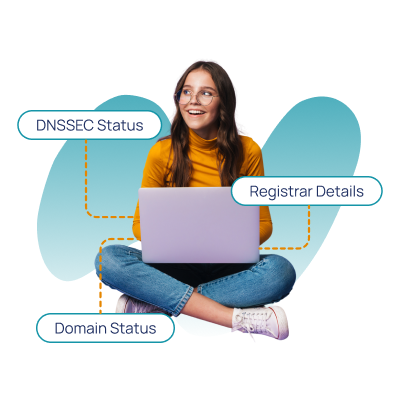
Website owners and developers use WHOIS to check nameservers, DNSSEC status, Registrar information, domain transfer status, and expiration dates. This can help when moving a website, troubleshooting DNS issues, or preparing a domain for transfer.
Legal & Administrative Teams
Legal, brand, and administrative teams may use WHOIS records to review Registrar details, trademark concerns, ownership information where available, or domain dispute queries.
Common Domain Statuses Explained
WHOIS Lookup results may include a domain status, which shows its current state and can affect whether it can be updated, transferred, restored, or registered.
If you want to transfer a domain, check the domain status first. A locked, expired, or restricted domain may need extra steps before the transfer can begin.
Why Are Some WHOIS Details Hidden?
Some WHOIS details may be hidden or redacted because of domain privacy services, Registry’s rules, or data protection laws.
If a domain uses Privacy Protection, the WHOIS record will show placeholder information from the Registrar or domain provider rather than the owner’s personal contact details. Many businesses and individuals use domain privacy to avoid spam, protect their personal information, and prevent unwanted contact.
A domain owner lookup can still be useful even when some details are hidden. You can still freely view the Registrar, nameservers, expiry dates, and registration status.
Why Use Hosted.com®’s WHOIS Lookup Tool?
Hosted.com®’s WHOIS Lookup Tool gives you a straightforward way to check public domain registration details and decide what to do next.
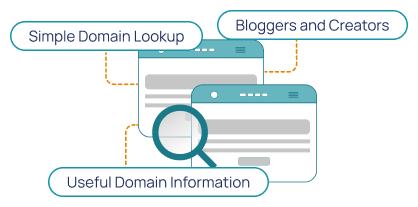
Simple Domain Lookup
Search for a domain name and review available public WHOIS information from one easy-to-use tool.
Useful Domain Information
Check Registrar details, registration dates, expiry dates, nameservers, domain status, DNSSEC status, and ownership information where available.
Connected Domain Services
Hosted.com® gives you more than a lookup tool. You can register domains, transfer domains, manage bulk domain services, connect hosting, create professional email, add SSL protection, and build your website in one place.
Bloggers and Creators
Find memorable web addresses for blogs, creative portfolios, or personal sites. Use your content topic, audience, and tone to generate suggestions.
Protect Your Domain and Personal Information Online
WHOIS information can be useful, but domain owners should also be mindful of privacy and online safety.
Depending on the domain extension and available privacy options, some personal details may be hidden or replaced with privacy-protected information.
What Can You Do After a WHOIS Lookup?
After a WHOIS Lookup, you can register an available domain, transfer a domain you already own, check expiry dates, review nameservers, or look for alternative domain ideas if your preferred name is taken.
A WHOIS Lookup helps you decide what to do next. The right step depends on what the results show and what you wanted to achieve with the domain that was searched for.
What is the WHOIS Database?
WHOIS is a global database that shows public registration details for domain names. A WHOIS record may include the Registrar, registration date, expiry date, nameservers, domain status, and registrant details where they are available. Some details may be hidden by WHOIS Privacy Protection if the domain registrant has enabled it.
How do I find out who owns a domain?
To find out who owns a domain, enter the domain name into the WHOIS Lookup Tool. If the Registrant details are public, the record may show ownership information. However, if the WHOIS Privacy Protection has been enabled, the owner’s personal details may be hidden.
What can I do after a WHOIS Lookup?
After a WHOIS Lookup and dependent on the reason for the search, you can register an available domain, transfer a domain you already own, check expiry dates, review nameservers, or look for alternative domain ideas if your preferred domain name is owned by another registrant.
Next Steps for Your Domain
Helpful Domain and Website Guides
What Customers Say About Hosted.com®
See why our customers choose Hosted.com® for fast, secure hosting and quick domain registration with easy website management and professional email solutions.
Frequently Asked Questions
Find clear answers to common questions about Domain Registration, Web Hosting, WordPress Hosting and website security. Our FAQs explain the basics - from choosing a domain to cPanel Web Hosting and protecting your site - in simple, easy-to-follow steps.

A WHOIS Lookup is a search that shows public registration details for a domain name. It can include information such as the Registrar, registration date, expiry date, nameservers, domain status, and ownership details where available.
A WHOIS domain lookup checks domain ownership information, Registrar details, expiry dates, nameservers, and domain status. It can help users research a domain before registering, transferring, buying, or investigating it.
You can use a WHOIS Lookup tool to search for the domain name. If the owner’s details are public, the WHOIS record may display the Registrant's information. If WHOIS Privacy protection is enabled, the owner’s personal details may be hidden or replaced.
Some domain owner details are hidden because of WHOIS Privacy protection, registry rules, or data protection laws. In these cases, the WHOIS record may show the Registrar, Registry, or privacy service instead of the owner’s personal contact details
If a domain uses privacy protection, you may not be able to see the owner’s personal details through WHOIS. You may need to use the Registrar's contact method, visit the website, or contact the domain provider if there is a legitimate reason.
Enter the domain into the WHOIS Lookup Tool. If the domain is not registered, you may be able to register it. If it is already registered, the lookup may show Registrar, expiry, and status information.
Yes. WHOIS records often show the domain’s expiry date or Registry expiry date. This can help you understand when the current registration period ends.
A domain Registrar is a company authorized to register and manage domain names for users. The Registrar handles domain registration, renewals, nameserver settings, and other domain management tasks.
Nameservers tell the internet where a domain’s DNS records are managed. They help connect a domain name to services such as websites, email, or hosting providers.
Domain status shows the current state of a domain, such as active, locked, pending transfer, expired, or pending deletion. These statuses can affect whether a domain can be transferred, updated, or registered.
clientTransferProhibited means the domain is locked to prevent unauthorized transfers. If you own the domain and want to transfer it, you usually need to unlock it through your current Registrar first.
Yes. WHOIS can help you check the current Registrar, domain status, nameservers, and expiry date before starting a domain transfer.
Yes, if you own the domain, you can usually update your domain contact details through your Registrar’s account portal. Some updates may be subject to Registrar or Registry rules.
WHOIS data is generally based on information provided by the domain Registrant and Registrar. It may not always be fully up to date, especially if details have not been updated or are hidden due to privacy protections.