Email Hosting
Professional Business Email Hosting for Your Domain
Create professional, custom email addresses using your own domain name, e.g. “info@yourdomain.com”, or “sales@yourdomain.com” with Email Hosting from Hosted.com®. Get safe, reliable, domain-based email for your business with Webmail access, POP/IMAP support, Email SSL, spam filtering, and malware and virus protection, backed by expert customer support.


Free Domain Name*
A free domain registration*, with selected plans and Top-Level Domains (TLDs), helps you get started online faster.
* Ts & Cs apply.
No Web Hosting Required
Register a domain name and use it for your professional email correspondence, even if your website isn’t live yet.
Spam, Malware & Virus Protection
Protect inboxes and sensitive information with SpamExperts filtering, malware, and virus protection.
Email Hosting Plans


* Ts & Cs apply
What is Email Hosting?
Email Hosting is a service that lets you set up and manage email addresses using your own domain name, like “info@domain.com”. It gives you a way to send and receive professional emails without needing a generic or provider-branded email address, along with disk storage, security, Webmail access, forwarding, autoresponders, and support.
Generic free accounts can work for personal use, but a custom domain email helps you appear more credible for business. An email address tied to your domain helps customers recognize and remember your brand while building and maintaining trust.
Which Email Hosting Plan is Right for You?
Choosing the right Email Hosting plan is all about understanding your needs, whether it's just a few email addresses for a startup or multiple mailboxes for a growing business. As your business expands, having separate email addresses for different departments and team members can make communication much smoother and more organized.
A strong option for growing teams that need more mailboxes and storage.
NOTE:This plan is currently marked as the most popular option.
What’s Included with Every Email Hosting Plan?
Every Email Hosting plan from Hosted.com® includes all the tools you need to create, manage, and protect your accounts. Each one is there to help you easily manage mailboxes from a single control panel, protect your data, and communicate safely from day one.


Can I Access My Email on Outlook, Gmail, Apple Mail, or Mobile Devices?
Hosted.com® Email Hosting supports POP3 and IMAP4, which means you can connect your email to supported email clients and devices, including Outlook, Apple Mail, iPad, iPhone, and Android. POP and IMAP help you access your mailbox the way you want. IMAP is commonly used when you want your email to stay synced across multiple devices. POP can be used when messages are downloaded to one device, depending on your setup.
You can also access your email through Webmail from a browser. This is useful when you are away from your usual computer or do not want to install extra software. Need help configuring yours? We have a range of step-by-step tutorials and tips in our Knowledgebase to walk you through the process.
Secure Email Hosting with Spam, Malware, and Virus Protection
Business email needs protection from unwanted and harmful messages. Hosted.com® Email Hosting includes SpamExperts spam, malware, and virus protection to help filter and block suspicious messages before they reach your inbox.
Combined with an Email SSL and secure access, this helps you communicate without worrying about data breaches or theft. It also reduces the risk of inbox clutter from spam, malicious attachments and links, and unwanted messages that may slow down business communications.
Email Hosting vs Web Hosting: What’s the Difference?
Email Hosting lets you create and manage domain-based email accounts, while Web Hosting stores and serves your website files. They are related, but they aren’t the same service. You can use Email Hosting if you’ve registered a domain name, for example, “hello@yourdomain.com”, even before you launch your website. You can also use it if your website is hosted somewhere else, but you still want to use a branded email address.
When you are ready to build or migrate your site, you can sign up for Web Hosting or WordPress Hosting without needing to move your mailboxes. This makes it easier to manage your domains, email accounts, and website under one roof.
Who Is Email Hosting Best For?
Hosted.com® Email Hosting is built for anyone who wants email addresses using their own domain. It works for businesses, teams, individuals, families, and temporary projects that need reliable, secure communication.
SMEs & Startups
Create branded email addresses that make your business look professional and credible from day one. Addresses such as info@, sales@, and support@ are easier for customers to recognize and trust.
Freelancers
Replace a generic email address with a personalized one that shows your branding. This helps make client communication professional and sets you apart from the competition.
Large Corporations
Manage team accounts using a company email address from a single control panel. Larger plans give businesses more mailboxes and storage for departments, staff, and roles.
Remote Workers
Access email from supported devices and clients using POP3 or IMAP4. This helps keep remote workers connected no matter where they are using Webmail, desktop email software, or mobile devices.
Domain Owners
Once you register a domain name, you can use custom email addresses before your website is live and start communicating professionally while your site is still being built.
Individuals
Use a more private, ad-free email option linked to your personal domain name. This gives you more control over your professional email identity and keeps your address consistent over time.
Families
Create domain-based family email accounts for more organized communication and privacy. Each family member can have a dedicated address under the same domain.
Ad-Hoc Needs
Set up unique email addresses for events, marketing campaigns, product launches, or temporary projects quickly and affordably.
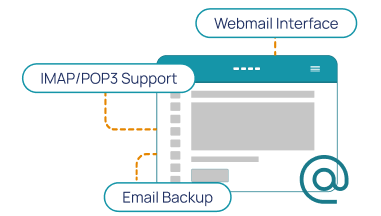
Why Choose Hosted.com® for Email Hosting?
Hosted.com® gives you professional Email Hosting with the tools, protection, and support needed to manage everything in one place. Whether you need a single company email address or multiple mailboxes for a growing business, you can choose a plan that matches your current needs and easily upgrade when needed.

99.9% Uptime
Reliable email access helps keep business communication moving. Hosted.com® Email Hosting is built to support consistent access to your email services.
Secure Email Hosting
SpamExperts, Email SSL, virus protection, and malware filtering help protect inboxes from unwanted and malicious messages.
Expert Support
Get help with setup, troubleshooting, migration questions, and email settings and configuration from our support team.
Scalable Plans
Start with the mailboxes and storage you need now, then upgrade as you grow. This keeps your hosting aligned with your business rather than forcing you into a larger plan too early.
Simple Email Setup
Create and manage accounts through the intuitive control panel. This makes it easier to add users, manage settings, and keep your email organized.
Affordable Email Plans
We offer a range of plans to fit your budget. Choose based on the number of mailboxes, disk space, and domain aliases you need.
cPanel Control Panel
cPanel gives you access to the tools and settings needed to manage your email accounts, domains, and hosting from a user-friendly control panel.
Webmail Access
Access your emails any time, from any browser. This gives you an easy way to check messages without needing to install and connect to new software.
Can I Migrate My Existing Email to Hosted.com®?
Yes. Hosted.com® can help migrate your existing email when you move your hosting or transfer your domain over to us, including your inboxes, contacts, databases, and settings.
Our Migration Support helps reduce communication disruptions when you move, depending on your existing provider, account access, and your current email setup.
Email Hosting Features Explained
Our Email Hosting includes the features that help you create, manage, access, and protect your mailboxes.
What is a Business Email Address?
A business email address uses your own domain name e.g. “sales@yourdomain.com or yourname@yourdomain.com”. It helps your business look more professional and makes professional communication easier to recognize and trust.
What is Email Hosting?
Email Hosting lets you create and manage email addresses using your own domain name, such as “info@yourdomain.com”. It provides mailboxes, storage, Webmail access, forwarding, autoresponders, spam protection, and support for professional communication.
What is Included in Hosted.com® Email Hosting?
Hosted.com® Email Hosting includes email accounts, disk space, free email SSL, SpamExperts spam and virus protection, Webmail access, POP/IMAP support, autoresponders, forwarding, domain aliases, and expert support. Plan resources vary by package.
Frequently Asked Questions
Find clear answers to common questions about Domain Registration, Web Hosting, WordPress Hosting and website security. Our FAQs explain the basics - from choosing a domain to cPanel Web Hosting and protecting your site - in simple, easy-to-follow steps.

Business Email Hosting lets you create email addresses using your own domain name, such as “info@yourdomain.com”. It helps your business look more professional than using a generic free email address.
Yes. Hosted.com® Email Hosting can be used with your domain even if your website is not live yet or is hosted elsewhere.
A custom domain email address uses your own domain after the @ symbol, such as “yourname@yourdomain.com”. It helps create a more professional and branded email identity.
Yes. Hosted.com® Email Hosting includes SpamExperts spam, malware, and virus protection to help protect inboxes from unwanted or malicious email.
Yes. Hosted.com® Email Hosting supports domain aliases and email forwarding, depending on your plan and setup.
Yes. Hosted.com® supports POP3 and IMAP4, which can be used to configure email access on supported mobile devices and email clients.
Choose a plan based on the number of people, departments, or addresses you need. For example, a small business may need addresses such as info@, sales@, support@, billing@; and individual team member mailboxes.
Free email services use generic domains, while Email Hosting lets you use your own domain. Domain-based email looks more professional and gives businesses more control over branding and communication.
Yes. If your mailbox storage or account needs to increase, you can upgrade to a larger Email Hosting plan. This gives you more resources without needing to start again with a new service.
Login to your Hosted.com® account and under Manage Services, select Email Hosting and follow the upgrade process, selecting the plan that is most suitable to your requirements.
You may also submit a Ticket request to our Support people for the upgrade and specifying the plan you would like.
You can create and manage email accounts through the control panel. Once your account is created, you can access email through webmail or configure it on a supported email client using POP3 or IMAP4.
cPanel Web Hosting - Setup Email Account
Login to your Hosted.com® account and under Manage Services, select cPanel Web Hosting. Under Quick Manage on the right, select Email Accounts - click the Create Email Account button and add the email addresses that you want.
Alternatively, you are more than welcome to submit a Ticket to Support requesting the new email addresses.
Mailbox size depends on your Email Hosting plan and the resources included with that package. Choose a plan based on how many users you need and how much email storage your business is likely to use.
The default mailbox size for each email address is 1 GB and is only limited to the disk space of the plan you are on.
Increase Email Address Limit
Login to your Hosted.com® account. Click Manage Services, select Email Hosting from the dropdown menu and increase or decrease the mailbox size.
If you prefer that we assist you with this, please submit a Ticket to Support requesting the increase or decrease and the limit amount.
Domain aliases can be configured through your hosting control panel, depending on your plan and setup. These domains can also be used as aliases where supported, helping you manage multiple domain-based email identities.
Yes. Hosted.com® Email Hosting supports POP3 and IMAP4. These protocols let you connect your mailbox to supported email clients and devices, including desktop and mobile applications.
Yes. Hosted.com® provides email setup guides in the Knowledgebase for common tools and devices, including Outlook, Apple Mail, iPad, and iPhone. These guides help you configure your email correctly.
You can check your domain’s mail records to see where your email is currently hosted. A WHOIS Lookup can also help you review domain ownership and related domain information before making changes.
To get a company email address, register a domain name and choose an Email Hosting plan. You can then create addresses such as “info@yourdomain.com, sales@yourdomain.com, or yourname@yourdomain.com”.
Start by registering a domain name or using a domain you already own. Then choose an Email Hosting plan, create your business email accounts in the control panel, and connect them to webmail or a supported email client using POP3 or IMAP4 settings.
Hosted.com® provides information about the control panel and the Email Hosting features before you buy. You can also contact the support team if you need help understanding how the service works.
For more information read our blog about our Client Portal.
Yes. Hosted.com® can assist with email migrations when you move your hosting over to us. Migration may include emails, contacts, databases, and settings, depending on the previous provider and your current setup.