 Contact Support
 Sign In


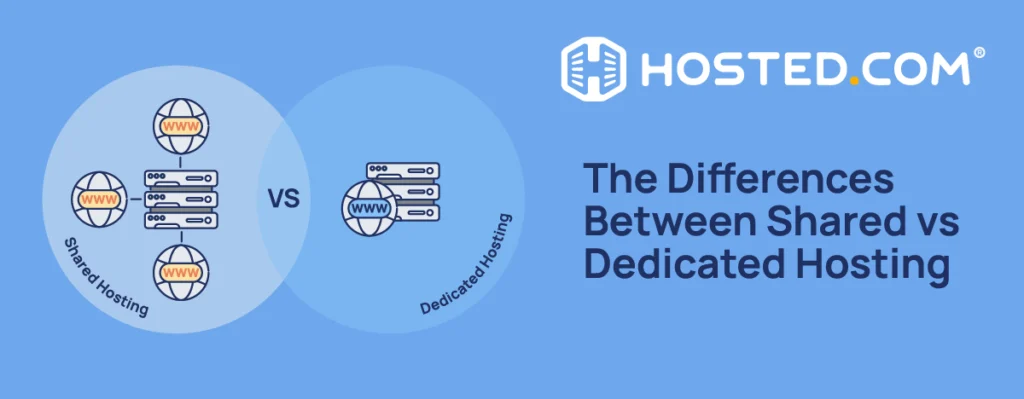
Shared Web Hosting plans involve your website sharing a server with other sites, making it more affordable and easier to manage. Dedicated hosting provides a site or application with an entire physical server, offering greater speed, control, and security, but at a higher cost. This guide explains shared hosting vs dedicated hosting, how they work, and when each is the right choice for your site, based on your budget, traffic, and required level of control.
KEY TAKEAWAYS
- Shared hosting is best for affordability and simplicity, while dedicated hosting is designed for high-demand websites requiring maximum performance and control.
- Shared hosting is a low-cost, beginner-friendly option where multiple websites share a server and its resources.
- Dedicated hosting provides an entire physical server, but it is expensive and requires advanced technical knowledge.
- The main differences are cost, performance, control, scalability, and some understanding of technical server management.
- Shared hosting is best for small websites, beginners, and businesses that need a simple, cost-effective solution.
- Dedicated hosting is best for high-traffic websites, ecommerce platforms, and large businesses that require consistent performance and uptime.
- You should upgrade when your website outgrows the performance of a shared hosting plan, plus security, or flexibility.
- Choosing between shared hosting vs dedicated hosting depends on your budget, traffic, technical knowledge, and future growth.
- Choose shared hosting for simplicity and affordability, and dedicated hosting for performance and control.
TABLE OF CONTENTS
Shared Hosting vs Dedicated Hosting at a Glance
Here is a quick look at the difference between shared and dedicated hosting.
| FEATURE | SHARED HOSTING | DEDICATED HOSTING |
| Cost | Low | High |
| Performance | Moderate | High |
| Security | Standard | Advanced |
| Control | Limited | Full control |
| Scalability | Limited | High |
| Technical Skill | Beginner-friendly | Advanced knowledge needed |
| Best for | Small businesses, blogs, startups | Large businesses, high-traffic sites |
What is Shared Hosting?
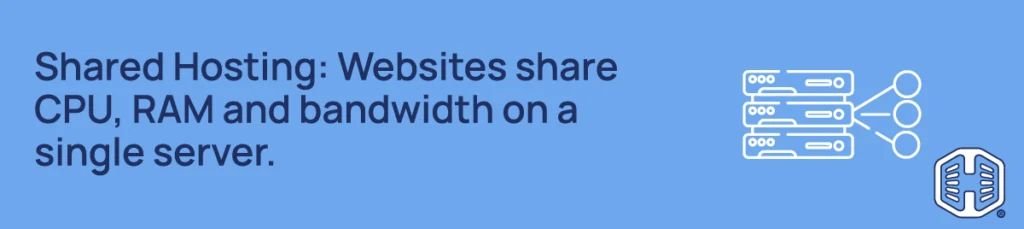
With shared hosting, your site shares space with multiple sites on the same web server, and each (yours included) draws from the same resource pool (CPU, RAM, and disk storage).
How Shared Hosting Works
The hosting provider allocates available resources across all sites and manages the servers, including maintenance, updates, and security, so you don’t have to handle technical backend tasks. Some also use isolation software to virtually separate each site to prevent what is known as “the noisy neighbor effect”, where performance or security issues on one site affect the others.
Pros of Shared Hosting
- Affordable: Shared plans are often the cheapest web hosting options available, making them ideal for SMEs and startups.
- Easy Management: Server maintenance, monitoring, software updates, and security are all handled for you, so you don’t need to learn to manage one on your own.
- Quick Set Up: Includes pre-configured, optimized infrastructure, beginner-friendly control panels like cPanel, and 1-click installs, e.g. WordPress Hosting, letting you build and launch quickly.
- Included Features: Most plans provide extra features, like integrated email hosting services, malware scanning, and SSL (Secure Sockets Layer) certificates.
Limitations of Shared Hosting
- Shared Resources: Your site’s performance can be affected when others on the same server hog resources, especially during traffic spikes.
- Limited Customization: You won’t have access to advanced settings or be allowed to install custom software at the server level.
- Security Drawbacks: Because of the shared environment, a malware infection or data breach on one site can potentially spread and affect others on the same server.
What is Dedicated Hosting?
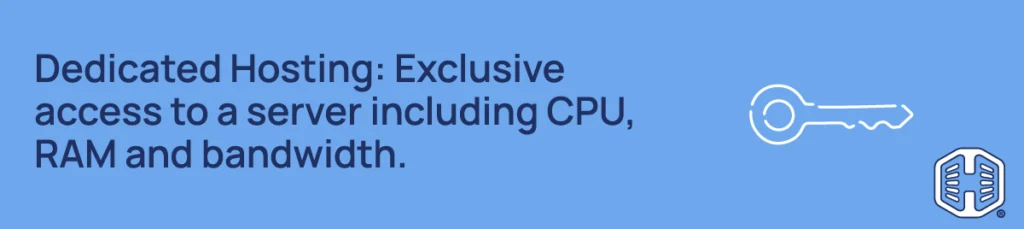
Dedicated hosting is renting or purchasing an entire physical server just for your website or application. This means you get more processing power and performance, complete control, and a much higher level of security.
How Dedicated Hosting Works
Rather than sharing with other websites, your site is the only one on the server, so all available CPU, RAM, and bandwidth are yours. You can customize everything from the ground up, install any software you want, and add security as necessary with full server-level access. However, it generally requires a full-time IT team to manage and maintain and is much more expensive.
Pros of Dedicated Hosting
- Exclusive Resources: No other sites use the resources, so you get consistent speed and uptime, even during spikes.
- Enhanced Security: You have advanced, custom security settings in a self-contained environment, so there is no cross-contamination.
- Full Control: You have complete control over your server’s hardware, like CPU cores, RAM and hard drives, set up with root access for software installations.
- Better Compliance: Enhanced security can make it easier to comply with data protection regulations required in specific industries such as healthcare and finance.
Limitations of Dedicated Hosting
- Higher Cost: Dedicated hosting comes at a much higher price because of its exclusive resources, setup and infrastructure.
- Technical Expertise: Managing a dedicated server has a steep learning curve, so you need to understand what is involved and have the necessary experience.
- Server Responsibility: Much of the maintenance and security management is up to you, making it more hands-on and time-consuming, and often needing an IT team.
Key Differences Between Shared & Dedicated Hosting
Here are the key differences between shared hosting vs dedicated hosting in more detail.
Cost
Dedicated hosting can easily amount to hundreds of dollars per month, depending on the server’s specifications and whether you opt for a managed service. Shared hosting, on the other hand, is much more affordable, starting at about $5 per month.
Performance
The performance of a site on shared hosting can be unpredictable, influenced by the activities of other sites which share the same server.
For example, a traffic spike on a neighbor’s website can cause slower loading speeds and lag on your site, because they are pulling more resources than they should.
Dedicated hosting mostly eliminates this issue. Your resources aren’t shared with anyone, so performance and uptime are usually consistent even during heavy spikes.
Security
If one website on a shared hosting server is compromised, others on the same server can be affected. Good providers use isolation software such as CageFS to set up virtual containers for each site to prevent this, along with SSL certificates, malware scanning and monitoring and firewalls, but there is still potential risk.
Dedicated hosting provides a fully isolated environment; there’s no risk of something spreading from another site. You control the security features on the server and on your site, including firewall and bot-filtering rules, access controls, and anti-malware, from day one.
Customization & Control
Shared hosting providers generally don’t offer server access and customization options to protect the entire environment, so you don’t have much control over what is happening on the backend.
With dedicated hosting, you have full root access to the server’s software and settings. You have complete control, allowing you to install any software, configure it as you wish, and optimize for your specific needs.
Scalability
As your traffic and site grow, shared hosting plans allow you to upgrade to match, but you still need to keep the new plan’s allocations, and if you need more, you need to upgrade again or migrate your site.
Dedicated hosting provides almost unlimited scalability. As with the software, you can add and alter anything to meet your requirements, including upgrading hardware (more RAM, CPU cores, and storage space) without migrating to a new server.
Technical Management
Your hosting provider fully manages shared servers. This means anyone, regardless of technical experience, can launch and run a website without worrying about server management complexities.
At the other end, having a dedicated hosting server needs direct management and maintenance. This can be done in-house (depending on the size of your business), or through a managed service that handles it for you.
Who Should Choose Shared Hosting?
A shared plan is the right type of hosting if you and your website are just starting. You receive enough resources to handle moderate traffic and content, and don’t need advanced security for sensitive data.
It can also be excellent value for money, providing everything you need to get started and host a website, depending on your plan and the included features.
It works particularly well for:
- Personal websites and blogs, as an affordable and low-maintenance way to build an audience.
- Startups and small businesses requiring a stable, secure website that loads quickly without spending a fortune on custom infrastructure.
Who Should Choose Dedicated Hosting?
Dedicated hosting is designed for large sites and businesses where speed, security, and stability are non-negotiable, and the high cost of setting up and running their own server is worth the investment.
It’s the right choice for:
- High-traffic sites processing thousands of requests at a time need their own resources to ensure fast loading speeds and to avoid crashing.
- Large ecommerce stores that process huge amounts of transactions and store customers’ personal and payment data.
- Businesses in healthcare, financial, and legal services that comply with strict data handling and storage regulations.
When Should You Upgrade from Shared Hosting?
The answer to when to upgrade from shared hosting to dedicated hosting depends on your site, and whether you start noticing issues and limitations that appear more often.
The first is usually slow load times and regularly hitting your server resource limits, even with performance optimizations in place.
The same goes for traffic spikes that chew up resources, causing downtime or performance issues, and negatively affecting your user experience and search rankings.
On the backend, you start to need stronger security features that aren’t supported by a shared hosting plan or custom software or server configurations which your plan doesn’t allow you to install or access.
If you are seeing more than one of these, it’s worth looking at your upgrade options, for example, moving from web hosting to WordPress hosting.
How to Choose the Right Hosting for Your Website
Not sure which is the best plan for your site? Here are a few points to consider before choosing shared hosting or dedicated hosting:
- Budget: If you are starting or working on a small budget, shared plans are the smart choice. If you have specific enterprise-grade requirements and have the budget, dedicated servers can be an option.
- Traffic: Shared hosting is usually enough for most traffic levels. If your traffic is very high or increasing rapidly, you may require guaranteed resources with dedicated hosting.
- Technical Knowledge: Shared hosting requires none, while dedicated hosting requires either an in-house IT team or an additional management service.
- Security: Most websites are safe with the security included in shared hosting. Businesses that handle personal and payment data, or are subject to regulations, may require dedicated hosting.
- Future Growth: Many growing businesses find that a cPanel Web Hosting or WordPress Hosting plan scales comfortably alongside them before moving to dedicated hosting ever becomes necessary.
Final Verdict: Shared Hosting or Dedicated Hosting?
For most people and businesses (bloggers, SMEs, freelancers, and startups), shared hosting is the best choice. It’s affordable, managed for you, and capable of running a professional website smoothly and safely with easy upgrade options when you need them.
The Hosted.com® cPanel Web Hosting and WordPress Hosting plans are built to give you everything you need to get online quickly and scale easily.
If your website has outgrown shared servers or you are building an online platform that requires maximum performance, advanced security, and full server control from the start, dedicated hosting can be a better option.
Even with the much higher cost, for the right type of site, it can be an investment that pays for itself. However, dedicated hosting is highly specialized and can be expensive overkill if not used to its full potential.
![Get fast, reliable and secure Web Hosting with Hosted.com [Learn More]](https://www.hosted.com/blog/wp-content/uploads/2026/04/shared-vs-dedicated-hosting-04-1024x229.webp "Hosted.com - Get fast, reliable and secure Web Hosting with Hosted.com [Learn More]")
How to Choose the Best Web Hosting Plan for Your Site
VIDEO: How to Choose the Best Web Hosting Plan for Your Site
FAQS
What is the main difference between shared hosting vs dedicated hosting?
Shared hosting involves your website sharing a server and resources with other sites. Dedicated hosting provides exclusive use of an entire server, resulting in better performance, security, and control.
Is dedicated hosting faster than shared hosting?
Yes. Because dedicated hosting provides exclusive resources with no competition from other websites, it delivers faster load times and more stable performance.
Is shared hosting good enough for a small business?
For most small business websites, particularly those with moderate traffic and security and content needs, shared hosting is more than enough.
When should I upgrade from shared hosting?
When you consistently experience slow load times, hit resource limits, or your security requirements have grown beyond what a shared environment can support, it’s time to consider an upgrade to a dedicated environment.
Is dedicated hosting worth the cost?
For high-traffic websites, large ecommerce platforms, and businesses with strict performance or compliance requirements, dedicated hosting can be worth the cost. For smaller sites, shared hosting offers far better value for money.
Other Blogs of Interest
– Web Hosting Vs Website Builder – Key Differences
– Web Hosting Statistics – The Latest Insights And Trends
– Web Hosting Bandwidth – How It Affects Site Performance
– Web Hosting Trends – What We Can Expect In 2026
– Are You Oversharing Hosting Data Privacy
- About the Author
- Latest Posts

Rhett isn’t just a writer at Hosted.com – he’s our resident WordPress content guru. With over 7 years of experience as a content writer, with a background in copywriting, journalism, research, and SEO, and a passion for websites.
Rhett authors informative blogs, articles, and Knowledgebase guides that simplify the complexities of WordPress, website builders, domains, and cPanel hosting. Rhett’s clear explanations and practical tips provide valuable resources for anyone wanting to own and build a website. Just don’t ask him about coding before he’s had coffee.